
1. Run Vault in production mode
Let’s overide Vault using VAULT_LOCAL_CONFIG variable with json format
docker run --cap-add=IPC_LOCK \
	-p 8200:8200 \
	-v ./vault:/vault/file \
	-e 'VAULT_ADDR=http://127.0.0.1:8200' \
	-e 'VAULT_LOCAL_CONFIG={"api_addr": "http://127.0.0.1:8200", "listener": [{ "tcp": { "address": "0.0.0.0:8200", "tls_disable": 1 } } ], "storage": { "file": { "path": "/vault/file" } }, "max_lease_ttl": "10h", "default_lease_ttl": "10h", "cluster_name":"testcluster", "ui":true }' \
	--name vault-server-mode \
	vault server
See more details in Vault’s documents
Note that:
- We can configure where store sensitive infomations
- Root token hadn’t generated when start vault
- We must unseal vault to use it
Testing at http://localhost:8200/ui
2. Unsealing Vault
2.1. Access to Vault container
docker exec -it vault-server-mode sh
2.2. Initializing Vault
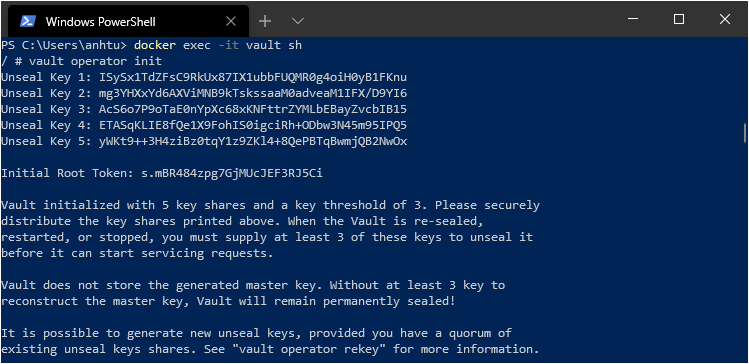
vault operator init
Result look like
2.3. Unsealing
Unseal by 3 unseal key in above
vault operator unseal